You can update the firmware of your Yealink phone by doing the following:
CAUTION: Updating or re-flashing the firmware of your IP Phone without proper knowledge or assistance may result to chipset failure. Please only use this article if you were authorized by support. Strictly for troubleshooting purposes only.
- Press the OK button on your phone to get the IP Address (e.g. 192.168.0.234)
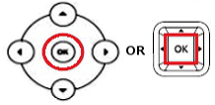
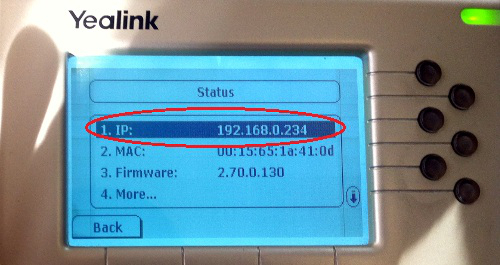
- Type the IP Address on the address bar of your browser (e.g. Internet Explorer, Firefox, Chrome, Safari etc.) and press Enter on your keyboard

- Type admin on both username and password in the pop-up dialogue box and click OK
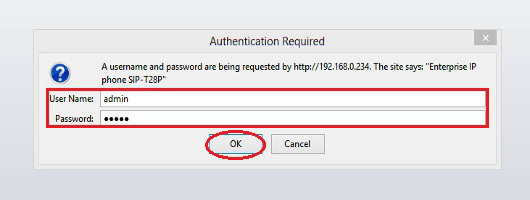
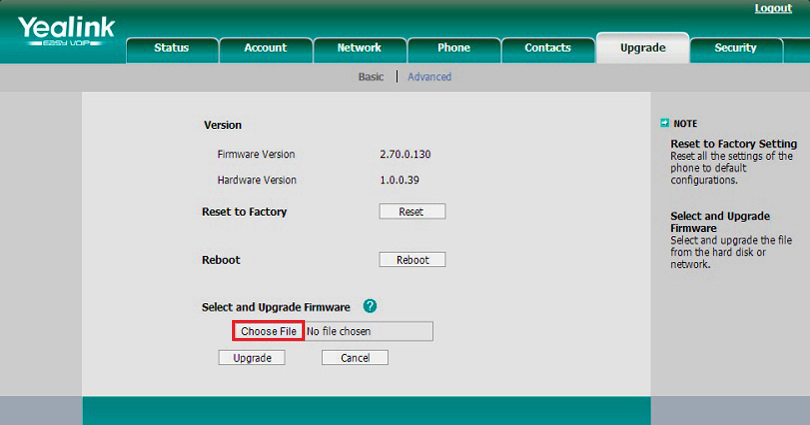
- Go to the Upgrade tab and then Basic
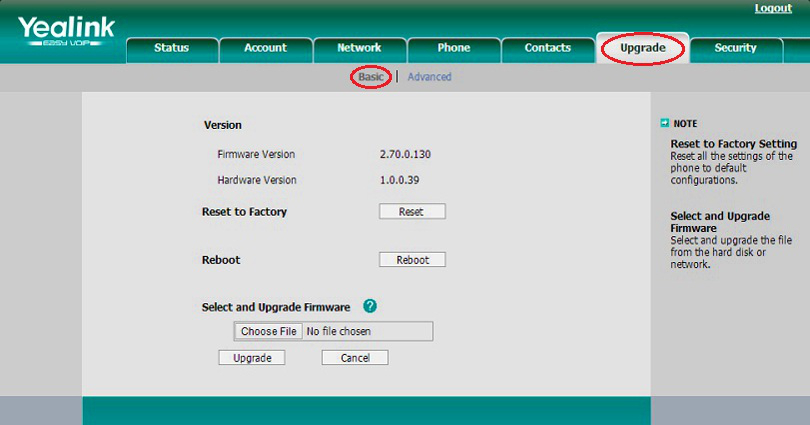
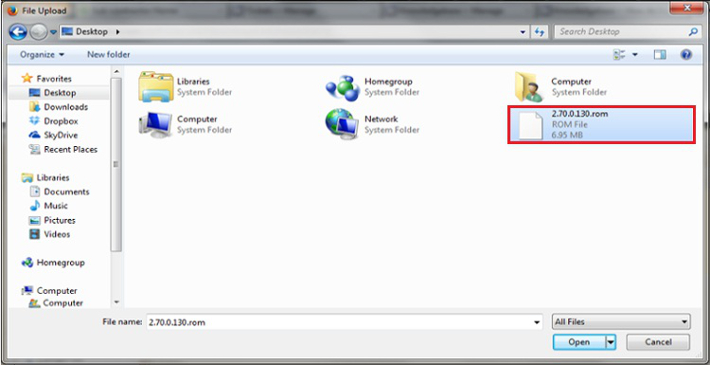
- Download the latest Firmware for your phone. Select the necessary file for your phone using the link below and save it on your computer (e.g Desktop):
Latest Yealink Firmware
- After downloading firmware file, go back to the Yealink page on your browser. Click Choose File to select the firmware from your computer
- Click Upgrade to upgrade the firmware
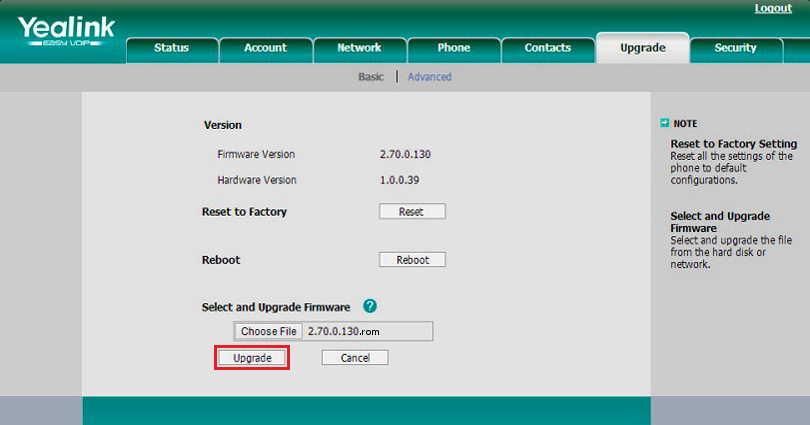
NOTE: The browser pops up the dialog box "Firmware of the IP Phone will be updated. It will take 5 minutes to complete. Please don't power off!"
RELATED LINKS (7 RESULTS): FAQ - IP Phones