There was a problem loading the comments.

How do I check my call logs?

Support Portal  »  Knowledgebase  »  Viewing Article

  Print

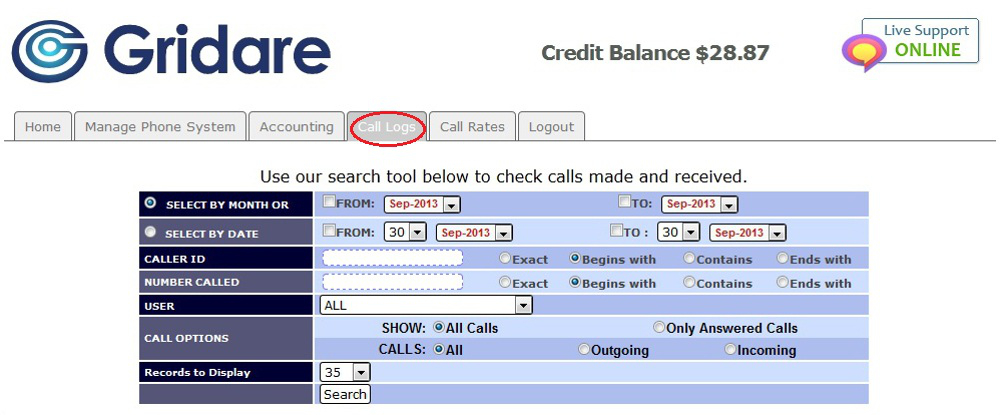
You can check your call logs by doing the following:

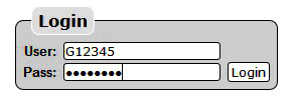


  • Log in using your Account ID: e.g. G12345 & the password sent to you by Gridare (which you can see from the Gridare Welcome Email)


  • Once logged in go to the Call Logs tab


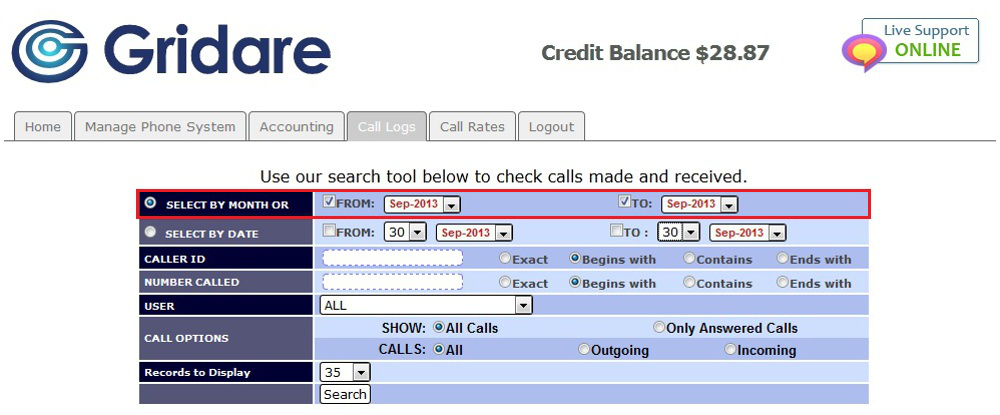
  • You can choose Select By Month by putting a tick on both From and To; choose the month and year (e.g. FROM: Sep-2013 TO: Sep-2013)


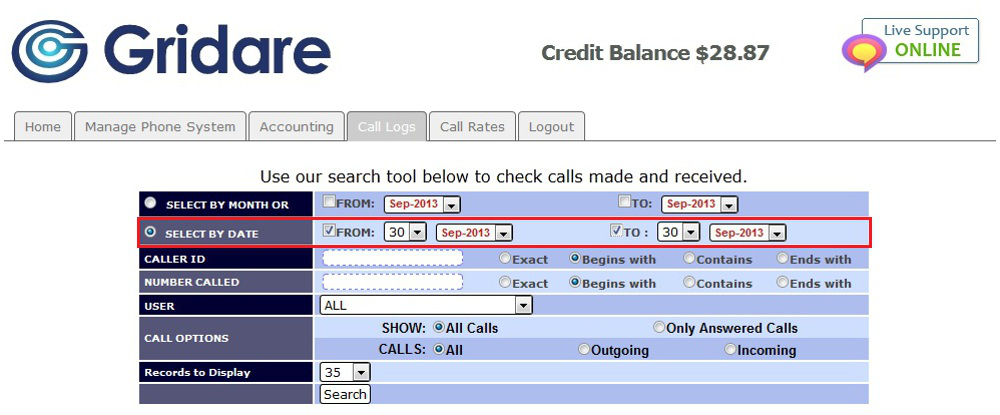
  • Another option would be to choose Select By Date by putting a tick on both From and To; choose the exact day, month and year (e.g. FROM: 30 Sep-2013 TO: 30 Sep-2013)


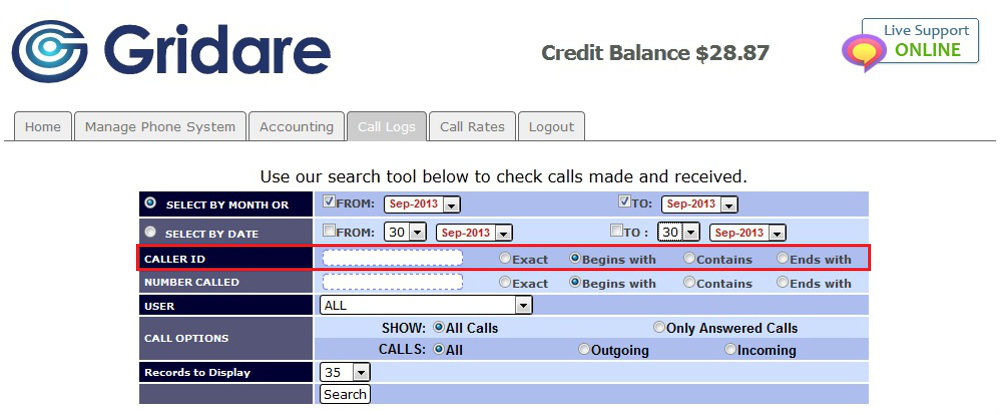
  • If you want a specific search you can choose Caller ID; put in the number on the box depending on what you choose it can be Exact, Begins with, Contains or Ends with


      NOTE: Exact = as is (e.g. 0212345678), Begins with = starting number (e.g. 02), Contains = number included (e.g. 021), Ends with = ending number (e.g. 8)
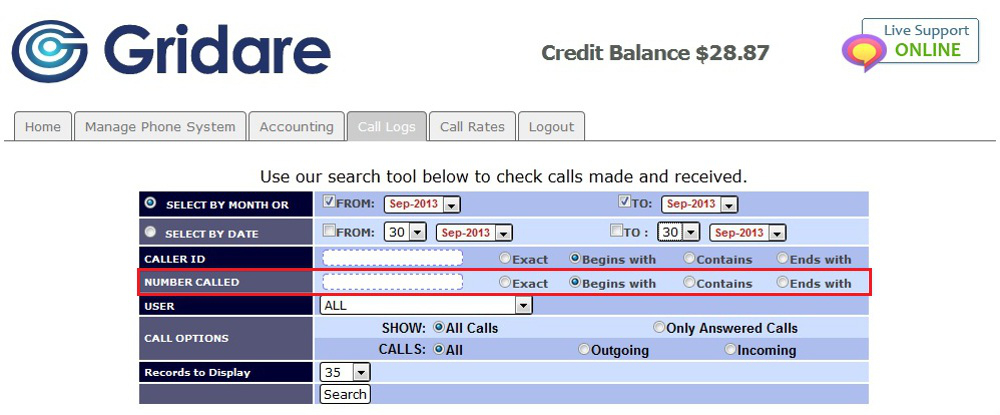
 

  • Another option for a specific search is to choose Number Called; put in the number on the box depending on what you choose it can be Exact, Begins with, Contains or Ends with


      NOTE: Exact = as is (e.g. 0212345678), Begins with = starting number (e.g. 02), Contains = number included (e.g. 021), Ends with = ending number (e.g. 8)
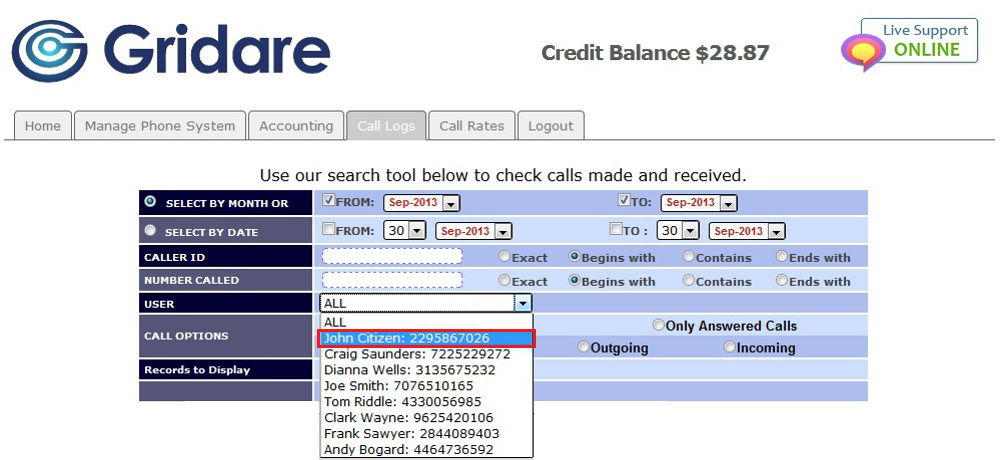
 

  • Under Users click the drop down menu to choose ALL or a specific user


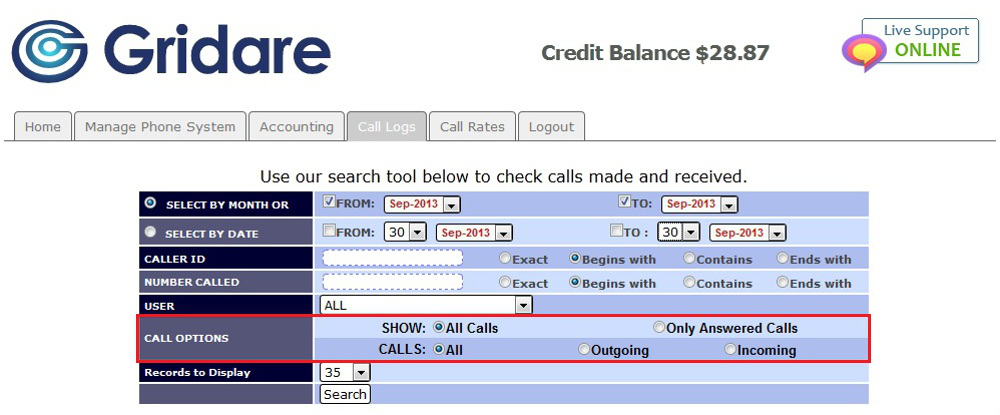
  • Under Call Options you can choose All Calls or Only Answered Calls for SHOW and All, Outgoing or Incoming for CALLS


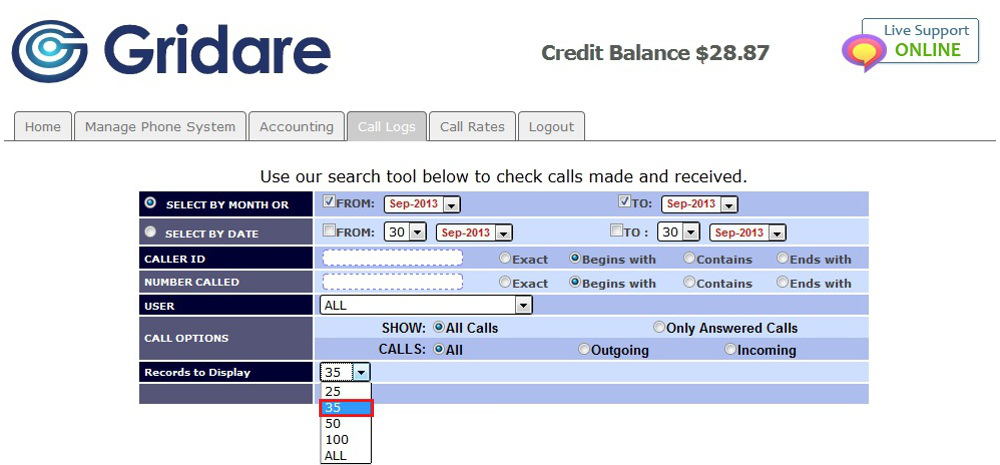
  • Under Records to Display click the drop down menu and choose the number of results to be shown from 25, 35, 50, 100 or ALL


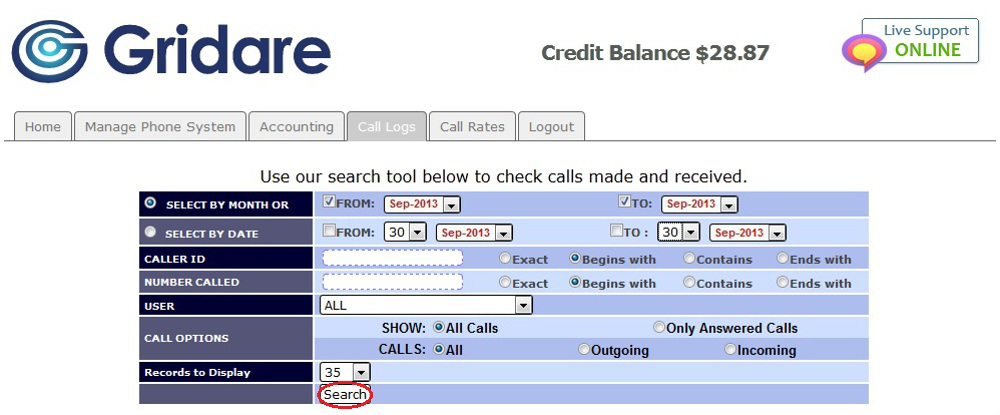
  • Click on Search to show the results at the bottom


RELATED LINKS (29 RESULTS): FAQ - Virtual PBX


REMINDER: You can also download the attached PDF version of this tutorial.


Share via
Did you find this article useful?  

Related Articles


Comments

Add Comment

Replying to  

© Gridare Pty Ltd