There was a problem loading the comments.

How do I top up my account ?

Support Portal  »  Knowledgebase  »  Viewing Article

  Print

You can top up your account by doing the following:

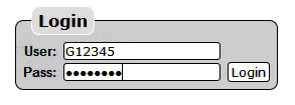


  • Log in using your Account ID: e.g. G12345 & the password sent to you by Gridare (which you can see from the Gridare Welcome Email)


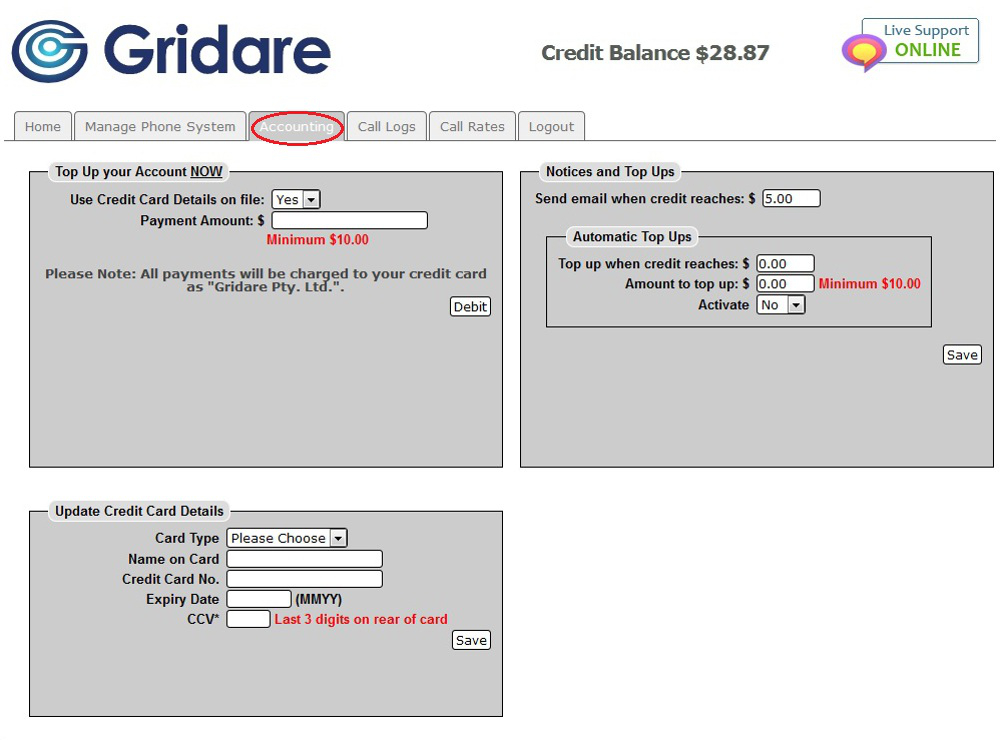
  • Once logged in go to the Accounting tab


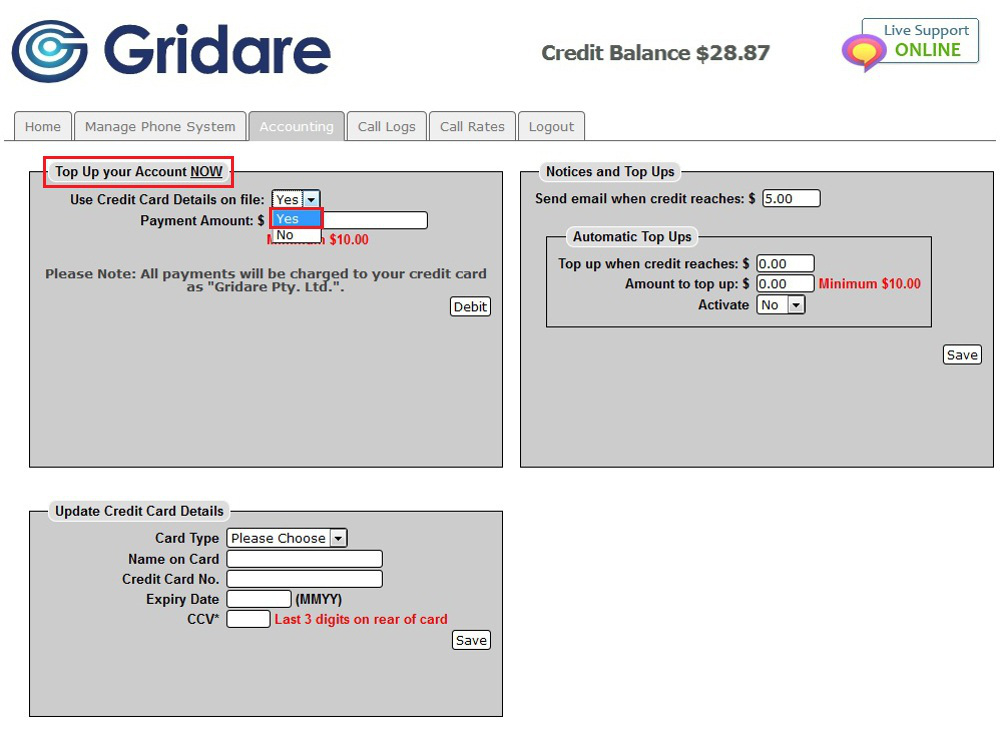
  • Under Top Up your Account NOW; click the drop down menu for Use Credit Card Details on file and choose Yes


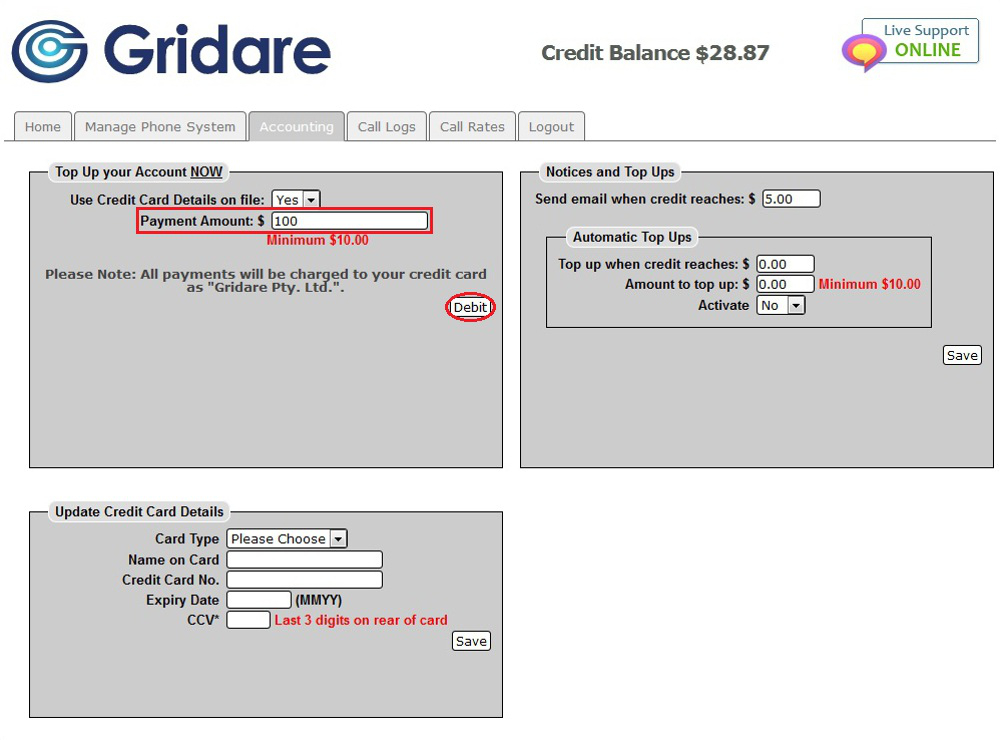
  • Put the amount (e.g. $100) in the Payment Amount box and click on the Debit button once


     NOTE: You will see a prompt confirming that top up is successful. Credit Balance will be replenished almost immediately after a few minutes of topping up the account.


RELATED LINKS (29 RESULTS): FAQ - Virtual PBX


REMINDER: You can also download the attached PDF version of this tutorial.


Share via
Did you find this article useful?  

Related Articles


Comments

Add Comment

Replying to  

© Gridare Pty Ltd